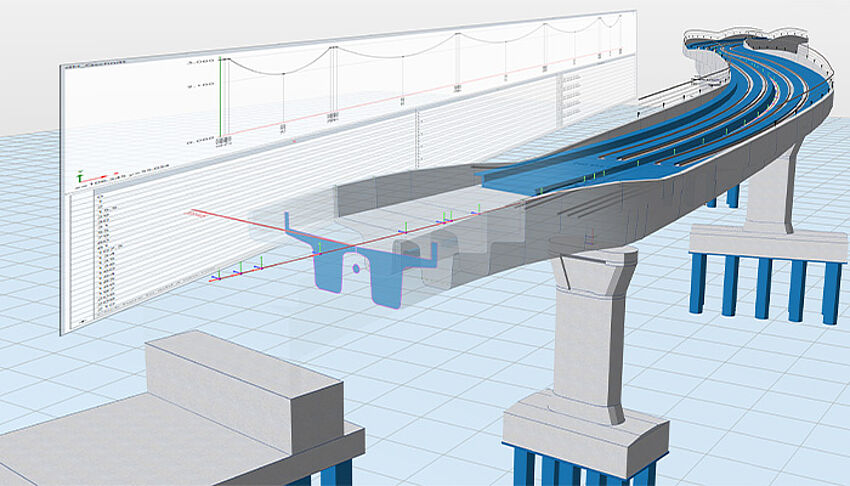
The Rise of Steel Bridges and the Role of Software
Steel bridges are among the most iconic achievements of modern engineering. From long-span suspension bridges to sleek urban overpasses, steel has become the material of choice thanks to its high strength-to-weight ratio, durability, and design flexibility. The global structural steel market continues to grow rapidly, driven by infrastructure investments worldwide. In 2025 alone, billions are projected to be invested in steel bridge projects across Asia, Europe, and North America.
Designing a steel bridge is a highly complex process. Engineers must consider traffic loads, wind, seismic activity, temperature variations, fatigue, and corrosion resistance, all while optimizing for cost, aesthetics, and sustainability. Traditionally, engineers relied on manual calculations and 2D drawings, a method prone to errors and delays. Miscalculations in design could lead to structural failures or costly redesigns.
Today, steel bridge design software has transformed this workflow. Engineers can simulate real-world conditions digitally, optimize materials, ensure compliance with international standards, and generate detailed fabrication plans—all before a single beam is placed on-site.
What Is Steel Bridge Design Software?
Steel bridge design software is a specialized platform built for planning, analyzing, and documenting steel bridges. Unlike general structural design tools, it addresses the unique challenges of bridge engineering.
Definition and Purpose
The primary goals of steel bridge design software include:
- Modeling bridges in 2D and 3D for visual clarity and accuracy
- Simulating environmental and traffic loads, including dynamic and impact loads
- Optimizing structural members to reduce material use and cost
- Automating compliance checks with regional and international design codes
- Generating fabrication-ready drawings for construction and assembly
How It Differs from General Structural Design Tools
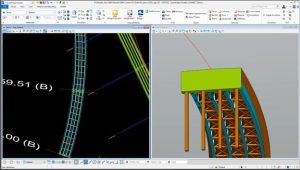
While general structural software may suffice for buildings or smaller structures, steel bridge design software specializes in:
- Dynamic and transient load simulations such as traffic, wind gusts, earthquakes, and temperature effects
- Bridge-specific design codes like AASHTO (USA), Eurocode (Europe), IRC (India), and local regulations
- Large-scale assembly modeling, including trusses, girders, arches, and suspension cables
- Fatigue and lifespan calculations for long-term durability
These features make specialized software indispensable for modern infrastructure projects.
Key Benefits of Using Steel Bridge Design Software
Enhanced Precision in Structural Analysis
Bridges must withstand decades of heavy traffic and environmental exposure. Modern software employs finite element analysis (FEA) to model stresses, deflections, and vibrations under different conditions. Engineers can identify potential weak points, prevent fatigue failures, and ensure public safety. Advanced platforms even simulate thermal expansion, wind flutter, and seismic displacement, providing a more holistic design assessment.
Faster Design Iterations and Optimization
Manual recalculations for every design change were time-consuming. With steel bridge software, engineers can instantly update models by modifying parameters such as span length, girder depth, or cable tension. Real-time visualization allows teams to compare multiple design alternatives quickly, leading to more efficient decision-making.
Cost Efficiency Through Material Savings
Steel is expensive, and overdesign can significantly increase project costs. Optimization algorithms in design software reduce member sizes without compromising safety, often saving 5–10% of material costs. In large bridges, these savings can amount to millions of dollars, improving project ROI and enabling more competitive bids.
Better Compliance with Global Standards
Designing for multiple jurisdictions can be challenging. Steel bridge software ensures instant code compliance with international standards, reducing approval delays and minimizing legal or safety risks. Built-in checks for load factors, material strengths, and deflection limits ensure that every design meets regulatory requirements.
Improved Collaboration Across Teams
Cloud-based platforms allow engineers, architects, contractors, and clients to access the same model simultaneously. This ensures real-time feedback, reduces errors caused by miscommunication, and accelerates project timelines.
Must-Have Features in Steel Bridge Design Software
3D Modeling and Visualization
3D models allow stakeholders to visualize the bridge realistically, detect potential clashes, and communicate design intent clearly. High-fidelity renderings are also useful for public consultations and government approvals.
Load and Stress Analysis Tools
Simulation tools model traffic, wind, seismic activity, and temperature changes, providing engineers with insights into stress concentrations, deflections, and vibration patterns. Some software also includes nonlinear analysis for extreme load cases.
Integration with BIM and CAD Platforms
Interoperability with AutoCAD, Revit, Tekla Structures, and Civil 3D ensures smooth data flow across teams. Design updates in one tool automatically sync with others, reducing errors and rework.
Automated Code Compliance Checks
Design codes differ by region. Software often includes libraries of regional codes that verify member sizing, load factors, and connections automatically, eliminating manual compliance checks.
Collaboration and Cloud-Based Features
Cloud-based collaboration allows teams to share models and reports instantly, track revisions, and maintain a digital project history—critical for large, multi-location projects.
How Engineers Use Steel Bridge Design Software in Practice
Conceptual Design Stage
During initial design, engineers use parametric tools to evaluate multiple bridge types—truss, arch, suspension, cable-stayed, or hybrid. They can quickly analyze cost, span length, materials, and constructability.
Detailed Structural Analysis
FEA and other simulation tools allow engineers to assess stress distribution, deflection, and fatigue. For example, a cable-stayed bridge might require analysis of cable tension, deck vibrations, and pier stability simultaneously.
Fabrication Planning and Documentation
Software generates detailed shop drawings, welding schedules, and material lists, which minimizes errors during fabrication. Some platforms also produce NC (numerical control) files directly for automated cutting and welding machines.
On-Site Assembly and Maintenance Tracking
Modern solutions integrate digital twins to track construction progress in real time. Engineers can monitor load testing results, structural health, and maintenance schedules, enhancing lifecycle management and safety.
Top Steel Bridge Design Software Options in 2025
Midas Civil – Best for Complex Analysis
- Strengths: Advanced FEA, cable-stayed and suspension bridge support, seismic analysis
- Ideal for: Large infrastructure and government projects
Tekla Structures – Best for Detailing and Fabrication
- Strengths: Steel detailing, BIM integration, constructability features
- Ideal for: Contractors and fabricators needing precise shop drawings
CSI Bridge – Best All-Rounder
- Strengths: Combines modeling, analysis, and design in one platform
- Ideal for: Firms requiring a versatile, cost-effective solution
LUSAS Bridge – Best for Advanced Engineering and Research
- Strengths: Handles high-level simulations, seismic and fatigue analysis
- Ideal for: Universities, research institutions, and high-tech firms
Autodesk InfraWorks – Best for Conceptual Design and Visualization
- Strengths: Strong early design tools, visualization, feasibility studies
- Ideal for: Urban planners and architects
Case Studies – Real-World Examples of Software in Action
Reducing Design Errors in a Highway Overpass
A state transport authority implemented CSI Bridge for a highway interchange. Advanced analysis revealed fatigue risks in several joints that were overlooked in manual calculations. Adjustments saved millions in repair costs and increased the bridge’s expected lifespan by 15–20 years.
Improving Material Efficiency in a Railway Bridge Project
A European engineering firm used Tekla Structures for a railway bridge. Automated detailing reduced steel usage by 8%, cutting costs significantly while ensuring precision in connections and welds.
Optimizing Seismic Safety in Urban Bridges
A city in California used Midas Civil to model urban bridges under earthquake conditions. Simulation of ground motion scenarios allowed engineers to reinforce critical components before construction, reducing potential disaster risk.
Common Mistakes to Avoid When Choosing Bridge Design Software
Ignoring Compatibility with Existing Tools
Lack of integration with existing CAD/BIM systems can lead to manual data transfer, errors, and delays.
Choosing Price Over Capability
Low-cost solutions often lack critical analysis tools, increasing risk of unsafe designs or costly redesigns.
Overlooking Training and User Adoption
Even the best software fails if users cannot operate it effectively. Teams require training, tutorials, and continuous support.
Neglecting Updates and Technical Support
Bridge design standards evolve constantly. Using outdated software can compromise compliance and safety.
Tips for Selecting the Right Software
- Assess Project Requirements: Consider bridge type, span, complexity, and regional codes.
- Evaluate Simulation Capabilities: Ensure the software can handle seismic, wind, and fatigue analysis.
- Check Integration: Look for CAD/BIM interoperability and cloud features.
- Review Support and Training: Strong technical support accelerates adoption.
- Consider ROI: Factor in long-term cost savings from material optimization and reduced errors.
The Future of Steel Bridge Design Software
AI-Driven Structural Optimization
AI will soon handle tasks like girder sizing, load balancing, and cost optimization, enabling smarter designs faster.
Generative Design for Complex Bridge Forms
Generative algorithms allow engineers to create lightweight, futuristic designs that balance structural efficiency and aesthetics. Bridges can now feature organic shapes, adaptive trusses, and modular components.
Sustainability and Green Bridge Construction
Future software will track embodied carbon, recycled material use, and lifecycle costs, supporting eco-friendly infrastructure initiatives.
Real-Time Monitoring and Predictive Maintenance
Integration with IoT and sensor data will allow predictive maintenance, helping extend the bridge’s operational lifespan and reducing long-term maintenance costs.
Conclusion – Why Steel Bridge Design Software Is a Game-Changer
Steel bridges are essential for modern infrastructure, but their complexity demands precision. Steel bridge design software enables:
- Accurate structural analysis
- Rapid design iteration
- Cost savings through optimized material use
- Compliance with global standards
- Seamless collaboration across teams
By leveraging these tools, engineering firms can design bridges that are safer, more efficient, sustainable, and visually striking. The future of steel bridge engineering is not just about steel—it’s about smarter, software-driven innovation.